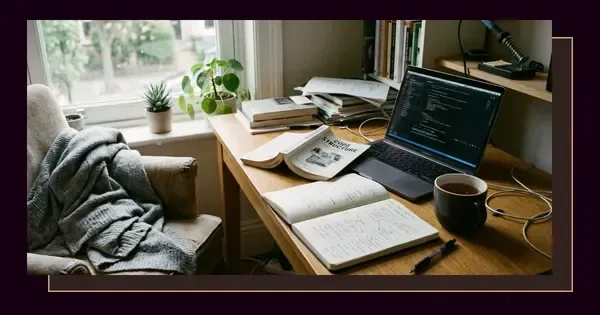
 Practical SkillsOrganising your coding project: 4 divides that prevent tangled code
Computer Science and Electronics Engineering
- Practical SkillsOrganising your coding project: 4 divides that prevent tangled code
 LearningTranslating your computer science degree for family: 4 strategies that bridge the gap
 LearningStop procrastinating on your coding projects: 4 barriers you can remove today
 LearningMatching your goals to your first programming language: 4 paths that shape where you start
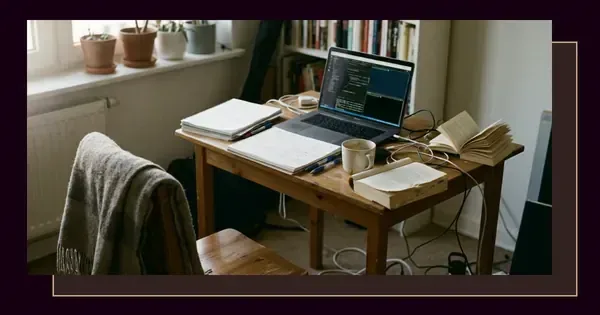 Practical SkillsHow to debug code when you're stuck: 4 steps that narrow the search
 Practical SkillsReading circuit diagrams: 6 symbols you'll meet first
 TroubleshootingFixing a short circuit safely: 4 checks before you touch anything
 FundamentalsComputer science and software engineering: two fields that shape how you build and think
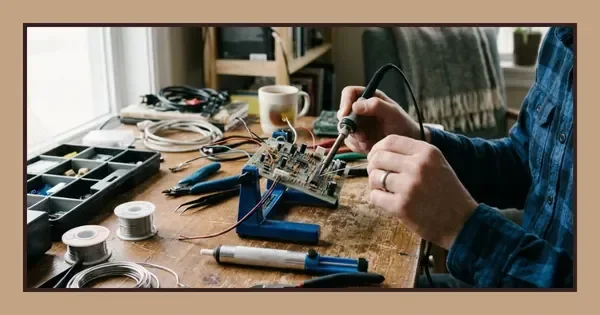 Practical SkillsLearning to solder electronics: 5 steps you can practise today
 FundamentalsAnalogue vs digital signals: two ways of carrying information, explained
 FundamentalsElectrical vs electronics engineering: two disciplines, one decision
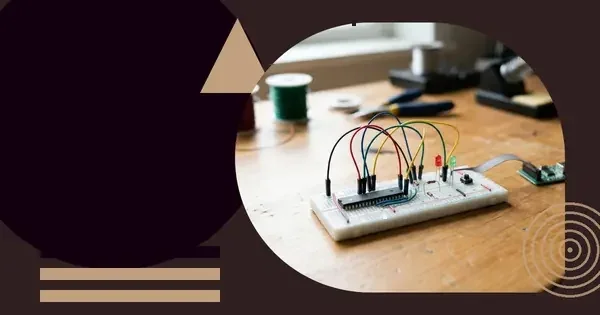 ComponentsWhat a microcontroller does: reading, deciding and acting in one chip
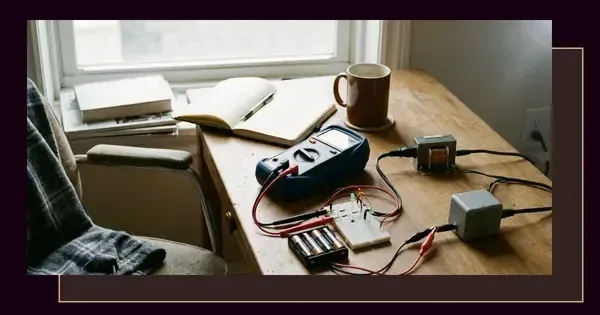 FundamentalsUnderstanding AC and DC current: 2 types that power different parts of your world
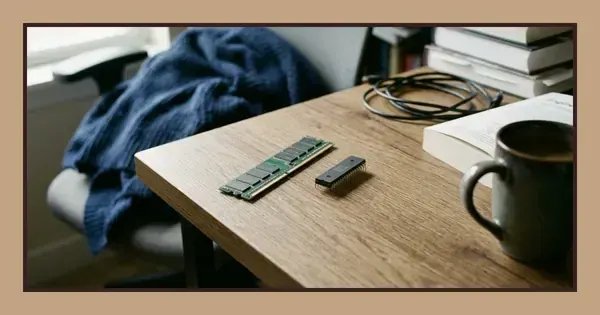 ComponentsRecognising RAM and ROM: 2 memory types with different roles in your system
 ComponentsWhat a transistor does: switching and amplifying in 2 roles
Fundamentals
- FundamentalsComputer science and software engineering: two fields that shape how you build and think
- FundamentalsAnalogue vs digital signals: two ways of carrying information, explained
- FundamentalsElectrical vs electronics engineering: two disciplines, one decision
- FundamentalsUnderstanding AC and DC current: 2 types that power different parts of your world
Practical Skills
- Practical SkillsOrganising your coding project: 4 divides that prevent tangled code
- Practical SkillsHow to debug code when you're stuck: 4 steps that narrow the search
- Practical SkillsReading circuit diagrams: 6 symbols you'll meet first
- Practical SkillsLearning to solder electronics: 5 steps you can practise today
Components
Learning
The tools, systems and devices shaping modern life rest on two interlocking disciplines: computer science, which deals with algorithms, data structures and software, and electronics engineering, which concerns the physical circuits, sensors and hardware those programs control. Understanding how they work together opens paths into research, product development and technical problem-solving across industries from healthcare to aerospace.
Recognising common pitfalls
Jumping straight into programming without grasping underlying hardware constraints leads to inefficient code. A sorting algorithm that looks elegant on paper can stall when the processor cache is too small, or when memory access patterns clash with the way the chip fetches data. Equally, designing a circuit without considering the software that will drive it produces hardware that is difficult to program and maintain.
Treating each discipline in isolation is the single largest cause of project delays. A microcontroller specification sheet lists clock speeds and pin counts, but those figures mean little until you map them to the tasks your application performs—sensor polling rates, communication protocols, power budgets. The electronics engineer who ignores software timing and the programmer who dismisses voltage tolerances both end up redesigning under pressure.
Overlooking verification at every stage is another frequent error. Code that compiles is not the same as code that behaves correctly under all input conditions, and a circuit that works on a breadboard may fail when noise, temperature or component tolerances shift. Catching mistakes early—through unit tests, simulation and incremental prototyping—costs less than discovering them in production.
Where to go next
Starting points depend on what you already know. If you are new to both fields, begin with a simple embedded project: a microcontroller reading a sensor and displaying the result. This forces you to write initialisation code, configure hardware registers and debug both software logic and wiring errors. The feedback loop is fast, and every mistake teaches something concrete.
For those with a software background, learning how transistors form logic gates, how gates combine into adders and multiplexers, and how those blocks build a processor demystifies what happens when your code runs. Digital electronics textbooks and simulation tools let you construct and test circuits without physical components. Once the principles are clear, moving to real hardware—soldering a prototype board, probing signals with an oscilloscope—cements the knowledge.
If your experience is in electronics, studying data structures and algorithm complexity reveals why certain operations take longer than others and how memory layout affects performance. Writing code that interfaces directly with peripherals, rather than relying on libraries that hide the details, shows how software and hardware communicate through memory-mapped registers and interrupt handlers.
Build small, test often
Large projects overwhelm beginners. A complete home automation system involves wireless protocols, sensor networks, user interfaces and power management. Breaking it into modules—a single temperature sensor first, then a display, then wireless transmission—makes progress visible and problems easier to isolate. Each module can be tested independently before integration.
Version control, even for solo work, saves you from losing a working version when an experiment goes wrong. Documenting design decisions in plain text—why you chose one component over another, what calculations determined a resistor value—turns debugging from guesswork into a methodical check against your original reasoning.
The basics of the subject
Computer science examines computation itself: what problems can be solved algorithmically, how efficiently, and with what resources. Core areas include algorithms and data structures, which determine how quickly a program finds, sorts or processes information; programming languages and compilers, which translate human-readable instructions into machine code; operating systems, which manage processor time, memory and input/output; and theoretical foundations such as automata, computability and complexity classes.
Electronics engineering focuses on the components and circuits that manipulate electrical signals. Analogue electronics covers amplifiers, filters and oscillators, where voltage and current vary continuously. Digital electronics deals with logic gates, flip-flops and processors, where signals represent discrete states. Power electronics manages conversion and regulation of electrical energy. Signal processing extracts information from noisy or incomplete measurements. Embedded systems combine these elements with software to create devices that interact with the physical world.
The intersection is where both disciplines contribute equally. An autonomous robot needs path-planning algorithms, motor control circuits, sensor signal conditioning and real-time operating systems. A digital communication system requires modulation schemes from signal theory, error-correcting codes from information theory, and high-speed circuit design to move data between components. Understanding both sides lets you make informed trade-offs: offloading a task to hardware accelerates it but adds cost and design time, while solving it in software keeps the circuit simpler but may consume more power or miss tight deadlines.
Layers of abstraction
A working system is built in layers, each hiding complexity from the one above. At the bottom, semiconductor physics determines how transistors switch. Above that, logic gates combine transistors into Boolean functions. Registers and arithmetic units assemble gates into a processor. Machine code instructions control the processor, and higher-level languages abstract away register allocation and memory management. Libraries and frameworks provide ready-made solutions for common tasks, and applications combine those components to deliver functionality to users.
Every layer leaks: performance bottlenecks often trace back to assumptions that break down under load, and fixing them requires looking beneath the abstraction. A web application that slows to a crawl may be making inefficient database queries, which in turn may stem from missing indexes, which reflect poor understanding of how the database engine searches records. The ability to move between layers—diagnosing whether a problem is in your code, the compiler's optimisation, the operating system's scheduler, or the hardware's cache—is what separates competent practitioners from those who can only follow tutorials.
Making practical progress
Choose projects with clear success criteria. Blinking an LED verifies that your development environment works and that you can write, compile and upload code. Reading a temperature sensor and printing values to a terminal adds input and formatting. Controlling an LED's brightness with pulse-width modulation introduces timers and duty cycles. Storing sensor readings in non-volatile memory brings in file systems or EEPROM handling. Each step adds one concept, and each can be finished in an afternoon.
Read datasheets with purpose. A microcontroller datasheet runs to hundreds of pages, but you do not need all of it at once. Start with the pin diagram to identify power, ground and communication lines. Check the electrical characteristics for voltage limits and current capacity. Find the chapter on the peripheral you want to use—a UART, an ADC, a timer—and follow its initialisation sequence. Cross-reference the register descriptions with example code to see how abstract descriptions map to concrete values.
Simulation and emulation catch errors before they reach hardware. Circuit simulators let you observe voltages and currents at every node, adjust component values instantly, and run scenarios that would destroy physical parts. Microcontroller emulators let you single-step through code, inspect variables and test edge cases without waiting for sensor input or communication timeouts. Neither replaces building the real thing—simulation models are approximations, and emulators do not capture electrical noise or timing glitches—but they compress the learning cycle.
Learn from failure
A circuit that does not work teaches more than one that does, provided you investigate systematically. Measure voltages at key points and compare them to expected values. Check that power and ground connections are solid. Verify that signals reach their destinations and have the correct shape on an oscilloscope. Swap suspect components to rule out manufacturing defects. Keep notes of what you changed and what happened, so you do not test the same hypothesis twice or forget a working configuration.
Code that crashes or produces wrong results reveals gaps in your mental model. Debuggers let you pause execution, examine memory and step through instructions. Print statements, though primitive, clarify which branches execute and what values variables hold. Writing small test cases that isolate one function or module helps you confirm that each piece works before combining them. Rubber-duck debugging—explaining the problem aloud, even to an inanimate object—forces you to articulate assumptions you did not realise you were making.
Choosing tools and options
Development boards aimed at beginners offer convenience: integrated programmers, breadboard-friendly headers and extensive libraries. They cost more than bare microcontrollers but remove friction while you are learning core concepts. Once you understand what the board does behind the scenes, moving to standalone chips and custom circuit boards becomes straightforward.
Programming languages trade off control and abstraction. Assembly gives direct access to every register and instruction but requires you to manage every detail. C strikes a balance, exposing hardware when needed while providing structure for larger programs. Higher-level languages simplify syntax and memory management at the cost of reduced control over timing and resource usage. The right choice depends on the constraints: if your system has tight deadlines or limited memory, stay closer to the hardware; if you are prototyping a concept, prioritise speed of development.
Open-source tools—compilers, simulators, PCB design software—have matured to the point where they rival commercial offerings for many tasks. They cost nothing, run on multiple platforms and benefit from community contributions. Proprietary tools often provide better technical support and integration with vendor-specific hardware, which matters when you are working under a deadline or with a complex toolchain. Try both and judge by results: the tool that helps you finish the project is the right one.
Measurement and test equipment
A multimeter measures voltage, current and resistance, essential for verifying power supplies and finding short circuits. An oscilloscope displays waveforms, revealing signal timing, noise and distortion that a multimeter cannot show. A logic analyser captures digital signals across many channels simultaneously, useful for debugging communication protocols. Bench power supplies let you set precise voltages and current limits, protecting circuits during testing. Start with what you can afford or borrow, and upgrade as projects demand it.
| Tool | Primary use | Typical cost category |
|---|---|---|
| Digital multimeter | Voltage, current, resistance | Low |
| Oscilloscope | Waveform shape and timing | Medium to high |
| Logic analyser | Multi-channel digital signals | Medium |
| Bench power supply | Adjustable voltage, current limiting | Medium |
| Function generator | Test signals, frequency response | Medium |
Frequently asked questions
How do I choose between focusing on software or hardware first?
Start with whichever feels more approachable, then bring in the other discipline through a project that forces integration. A microcontroller reading a sensor and displaying the result requires both working together, making the interaction concrete rather than theoretical.
What background knowledge do I need before starting?
Basic algebra and comfort with logical reasoning are enough. You will learn specific concepts—Ohm's law, binary arithmetic, control flow—as you need them, and practical projects reveal which gaps to fill next.
Can I learn these subjects without buying expensive equipment?
Simulation software and inexpensive development boards let you start with minimal investment. A multimeter and a simple microcontroller kit cover most beginner projects, and you can add tools as your work demands them.
How long does it take to build a working project?
Simple projects like blinking an LED or reading a sensor take a few hours once your tools are set up. More complex systems—wireless communication, motor control—may take weeks as you work through each subsystem and integration.
What should I do when my circuit or code does not work?
Isolate the problem by testing one section at a time. Check power connections, measure voltages, verify that signals reach their destinations, and step through code with a debugger. Keeping notes of what you tried prevents repeating failed fixes.