Learning to solder electronics: 5 steps you can practise today
 Save
SaveSoldering joins two metal surfaces by melting a filler metal between them, creating an electrical and mechanical bond. The technique matters more than the tool: good soldering comes from heating the joint properly, not from expensive equipment. Below you will find the steps that produce reliable connections, the mistakes that weaken them and how to recognise a join that will last. IJCSEE covers the practical side of electronics engineering, one technique at a time.
Preparing the iron and workspace before you start
Set the iron to the temperature the solder needs. Most leaded solder melts around 180–190°C, and you want the tip 30–50 degrees hotter so heat transfers quickly. Unleaded solder needs more heat. A wet sponge or brass coil cleans the tip between joins; wipe it each time you lift the iron.
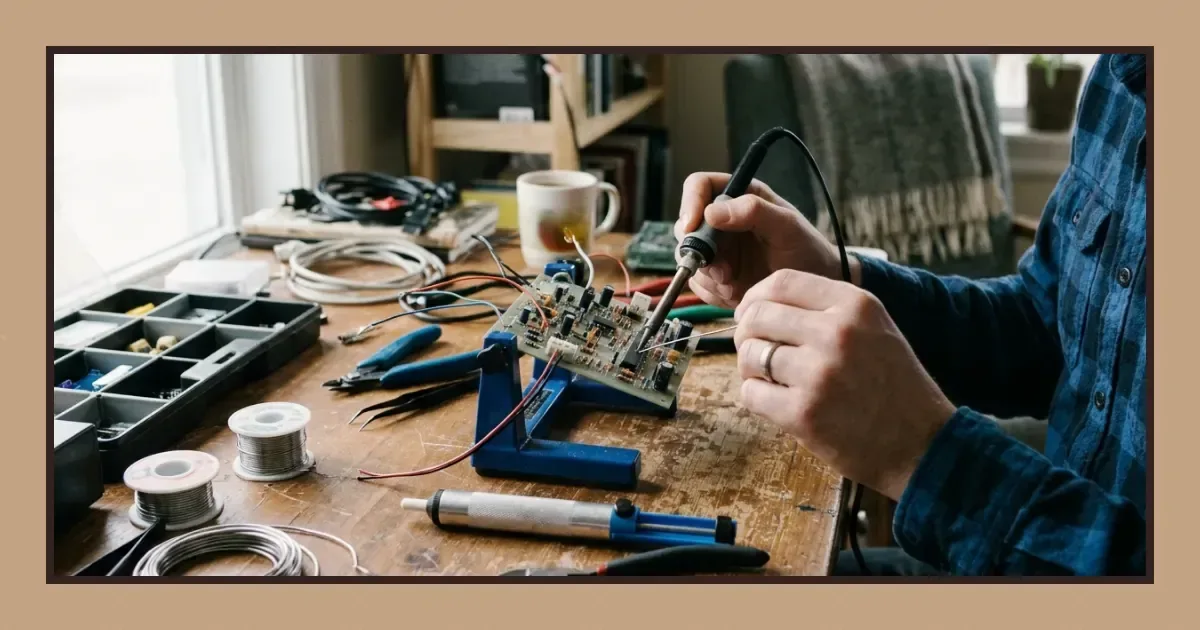
Secure the board or component so both hands stay free. A helping-hands stand or a vice holds the work steady while you bring iron and solder to the joint. Flux removes oxidation and helps solder flow; many solders have a flux core, but adding a little extra to the pad improves wetting on older or tarnished surfaces.
Heating the joint, not the solder
Touch the iron tip to both the component lead and the pad at once. Hold it there for one to three seconds until both parts reach soldering temperature. The solder should melt when it touches the heated joint, not when it touches the iron. Melting solder on the tip first and then wiping it onto a cold joint leaves a weak, grainy connection that may crack under vibration or thermal stress.
Feed solder into the join from the opposite side of the iron. As the joint heats, the solder flows around the lead and across the pad, forming a smooth cone. Remove the solder wire first, then the iron, and let the joint cool without moving it. A shiny, concave fillet means good wetting; a dull, convex blob or a ring of solder only around the lead suggests the pad never got hot enough.
Recognising what a sound join looks like
| Appearance | What it tells you | Likely cause |
|---|---|---|
| Shiny, smooth cone | Good wetting, solid bond | Correct heat, clean surfaces |
| Dull, grainy texture | Cold joint, poor electrical contact | Insufficient heat or movement while cooling |
| Balled solder, minimal spread | Solder did not wet the pad | Oxidation, no flux or too little heat |
| Excess solder bridging pads | Short circuit risk | Too much solder or heat held too long |
A good join forms in two to four seconds. Holding heat longer damages the pad, lifts traces or harms temperature-sensitive components. If the solder does not flow in that time, remove the iron, let everything cool and try again with fresh flux or a cleaner tip.
Avoiding the mistakes that weaken connections
Moving the component or board while the solder cools creates a disturbed joint with cracks you may not see until the circuit fails under use. Wait until the solder solidifies completely before releasing your grip. Reheating a joint repeatedly to fix it cooks the flux away and oxidises the surfaces, making each attempt harder than the last.
Too little solder leaves gaps; too much forms bridges between adjacent pads or creates bulbous joins that crack more easily. The right amount wets the pad and climbs partway up the lead, forming a smooth transition. Dirty or oxidised tips transfer heat poorly and leave burnt flux residue on the joint; clean the tip before and after every connection.
Trimming leads and inspecting your work
Once the joint cools, trim component leads close to the solder with flush cutters. Long leads can short against neighbouring traces or catch on other parts during handling. Inspect each join under good light or a magnifying glass. Look for complete wetting around the lead, no solder bridges between pads, no cracks in the fillet and no charred flux residue.
Test continuity with a multimeter before applying power. A cold joint may look acceptable but show high resistance or intermittent contact. Rework any suspect joins by adding a small amount of fresh solder with flux, heating until the old and new solder merge, then removing the iron cleanly.
Building the habit through repetition
- Start with through-hole components on scrap board: resistors and capacitors are forgiving and let you practise the motion without worrying about expensive parts.
- Keep your eyes on the joint, not the iron tip: watch the solder flow across the pad and up the lead, then lift the iron as soon as the fillet forms.
- Count to three while the iron is on the joint, then feed solder and remove both in one smooth sequence: this rhythm prevents overheating and becomes automatic after a dozen joins.
- Desolder and resolder the same joint twice to see how reheating affects the surface, then move to fresh pads: you will recognise when a joint has been worked too many times.
- Photograph or sketch your first joins and compare them to later work: the difference after twenty or thirty attempts shows what deliberate repetition builds.
Technique improves faster when you can see the results immediately. Through-hole joints reveal errors more clearly than surface-mount pads, so begin there and move to finer work once the basic motion feels natural. Understanding how transistors work gives you a reason to practise soldering them into real circuits, and testing capacitors often means desoldering and resoldering them to verify the fault.
Choosing leaded or unleaded solder for your projects
Leaded solder melts at a lower temperature, flows more easily and produces shinier joints with less effort. It contains tin and lead, usually in a 60/40 or 63/37 ratio. Unleaded solder replaces lead with silver, copper or other metals; it requires higher heat, wets more slowly and leaves duller joins that are still perfectly sound. Regulations in some markets restrict lead, but for hobby and prototype work either type is suitable.
Flux core matters more than the alloy. Rosin flux is standard for electronics; acid flux corrodes traces and is meant for plumbing. Wire diameter affects control: thinner solder gives you finer control over how much you feed, while thicker wire works well for larger joins. Choose a diameter that matches the scale of your work, and keep the spool within easy reach of your dominant hand.
When to replace the tip and how to extend its life
Tips wear down, oxidise and eventually lose their plating. A tip that no longer wets with solder, even after cleaning, has reached the end of its useful life. Tinning the tip before and after each session protects the surface: melt a small amount of solder onto the tip, then wipe it clean and leave a thin coating in place while the iron cools.
Running the iron at the lowest effective temperature slows oxidation. Leaving it on high heat between joins burns off the tinning and hardens flux residue onto the tip. Turn the iron down or switch it off during longer breaks, and never leave it sitting idle at full temperature for more than a few minutes.
Download PDF: Soldering checklist: reliable joins every time PDF, 27 KB
Further reading
Frequently asked questions
What temperature should I set my soldering iron to?
Set the iron 30–50 degrees above the melting point of your solder. Leaded solder typically needs around 320–350°C, while unleaded solder works best at 350–400°C. Start at the lower end and increase if the solder does not flow within two to three seconds.
How do I know if a solder joint is strong enough?
A strong joint has a shiny, smooth surface with a concave fillet that wets both the pad and the component lead. Dull or grainy texture, balled solder or a ring around the lead only suggests a cold joint that may fail. Test continuity with a multimeter if you are unsure.
Can I reuse solder that I have just removed?
Removed solder has lost most of its flux and picked up oxidation, so it will not flow well. Use fresh solder for new joints. Desoldering is for removing components, not for recovering material.